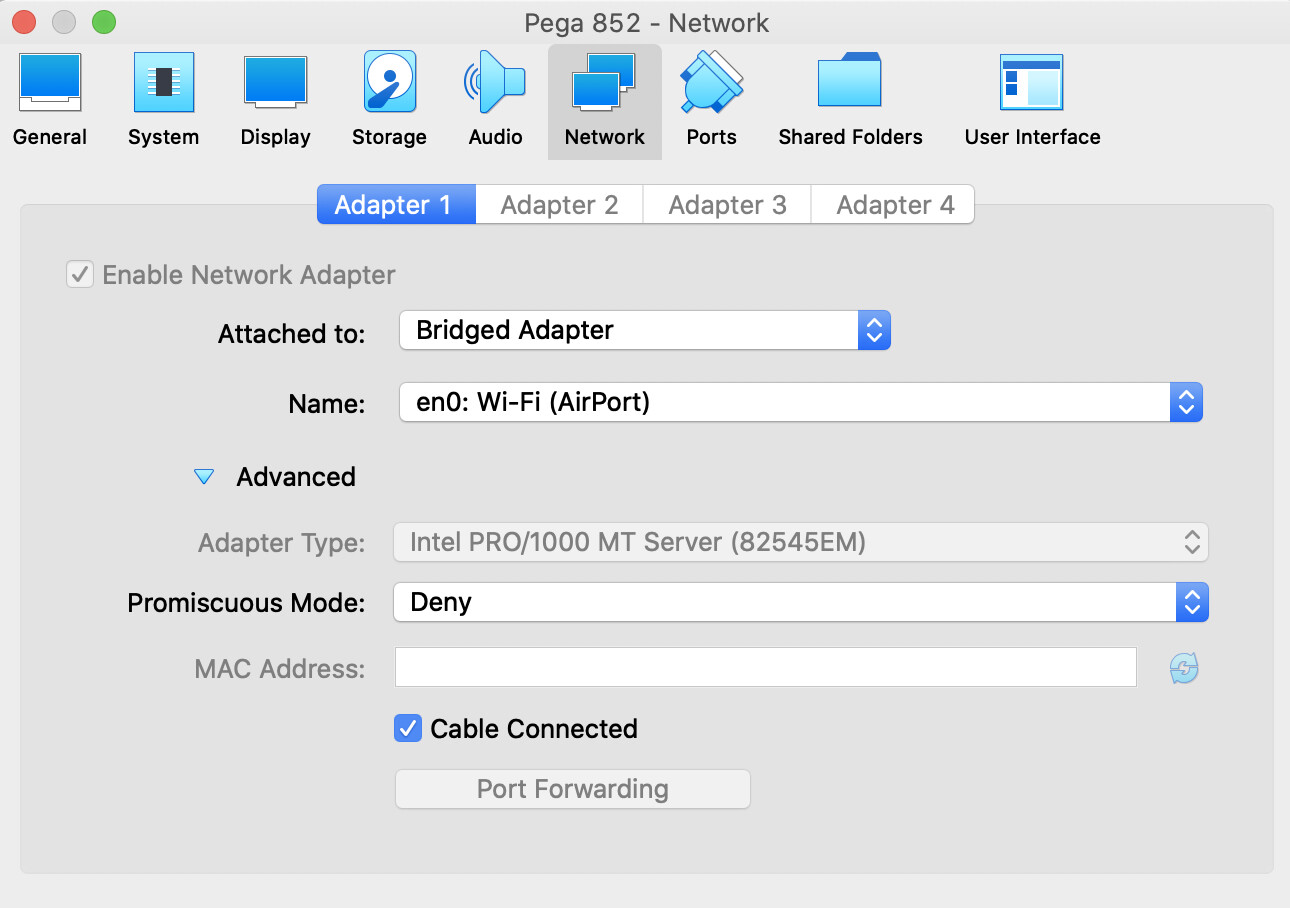
As instructed in the course, I have imported Pega 8.5.2 LinuxLite-Pega852.ova file into Oracle Virtual Box on my mac. Despite configuring the image to work on the bridge network, I am unable to open the Designer Studio on my local browser.
Similar settings work for Pega 8.3.1 LinuxLite-Pega831.ova image on the same machine.
I am getting the VM IP using the “Connection Information” from the VM machine. I have tried using the IPv4 IP in the http://<>:9080/PASample URL but I couldn’t connect.
Same works for Pega 8.3 ova image on the same machine.
Please, may I know if you were able to try the bridge network configuration for Pega 8.5.2 image on mac machine. I have tried it on 2 different mac books and faced the same issue.
I am using same configuration as yours and as my other 8.3 image. It works for 8.3 but not for 8.5.2. I have tried removing 8.3 from virtual box and started just the 8.5, still was unable to access 8.5 from the host.
I have tried with IP address for enp0** interface after executing ifconfig (which is same as Connection Information IP address), still, I couldn’t access the portal from the host.
Please, may I know if it possible to replicate the issue on mac os at your end?
I have the same exact configuration. I too have an image of 8.3 and both works fine for me. Are you getting the ip using ifconfig since 8.5 doesn’t show it on the taskbar?
I am able to access the portal on my Mac host and also from other computers in the home network without any issues. I do have 7.x, 8.3 and 8.5.2 vms on my virtual box.
Thank you for trying it out on mac os. I guess you’ve used Oracle Virtual Box, please can you share your VM box version details and screenshot of the network tab for 8.5.2 image.
I am trying to upgrade Virtual Box to 6.1.22. That’s the only thing that should be causing the issue on my laptop. I’ll keep you posted on how I progress.
I have tried accessing 8.5.2 on the bridge network after upgrading Virtual Box to 6.1.22 still issue persists. 8.3.1 work perfectly fine on the same version.
May I know if it is possible for you to share the checksum of the OVA you have used?