I have a case type with an embedded section that is not visible during case creation. What could be the reasons for this issue?
The embedded section might not be visible during case creation due to the configuration of the web embed. You can configure the web embed to display the embedded section during case creation by ensuring that the web embed is set up to create a new case and that the appropriate action and display options are selected. Additionally, you should verify that the web embed code snippet is correctly pasted into the static web page or webview of the external web application.
@Praveenn881 - If the first stage is create then on creation of case it take create section and displays what is present in it. May be at your application layer multiple create sections would have been there probably it showing some other create section.
Thank you.
Hi @Praveenn881,
Is the embedded section has the same applies to class as that of the Case type ? or is the embedded section belongs from a different class ? By any chance if you are trying to embed a data class section you might need to check if the clipboard holds the page that is been used to refer the the data class section.
Sometimes we need to initialize a property of that page in the pyDefault data transform to get the page available in the clipboard to get the required embedded section displayed on the UI.
Thanks
Hi @Praveenn881,
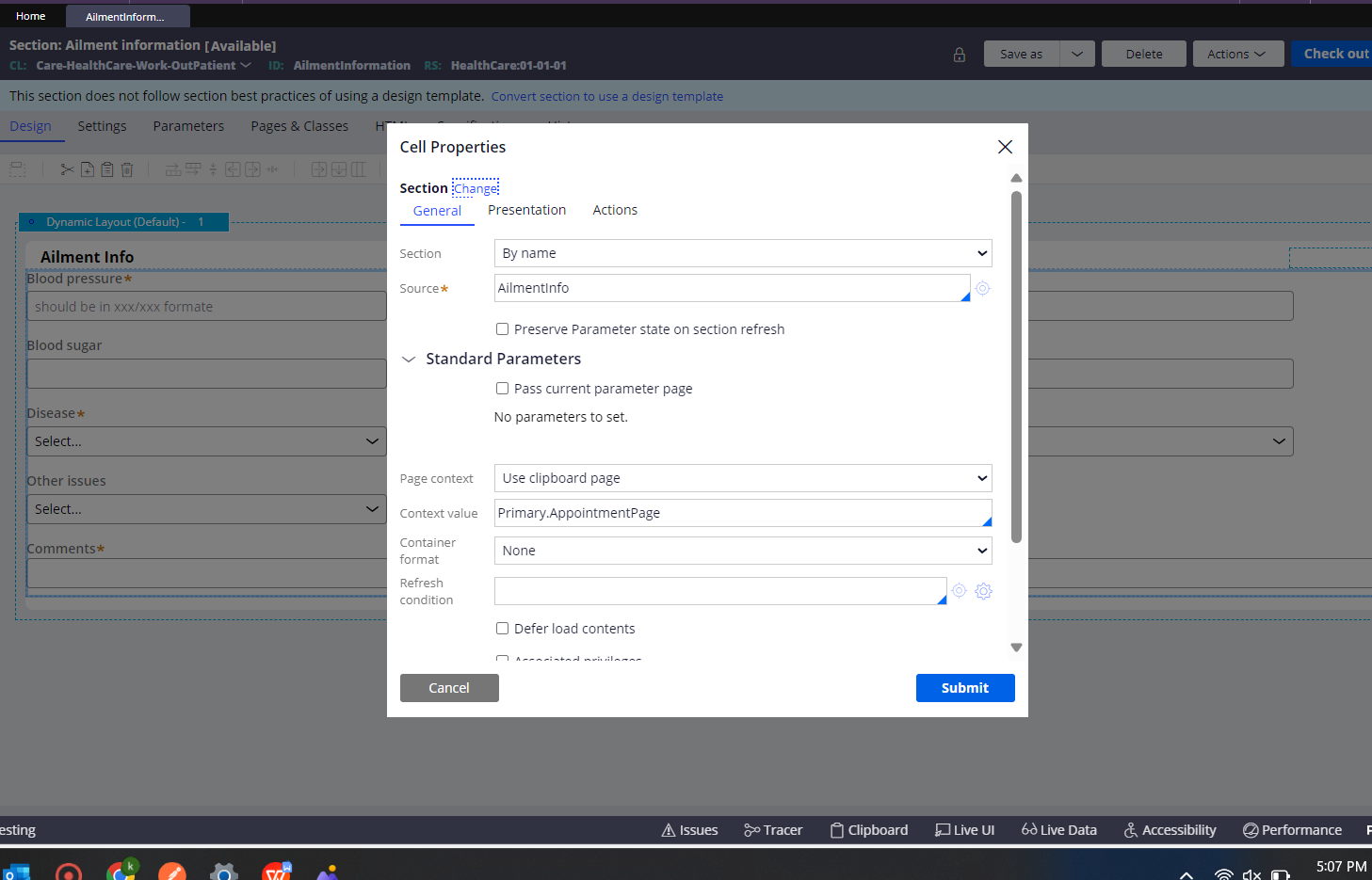
During the embed secton it asks the clipboard page context.(eg: AppointmentPage)
so first you should have to initialize the page property in pydefault data transform
.pyLabel or .pyNote like this take some ootb properties or data model properties to initiate the page property then create the case it will visible in UI.
1.Embed the section using Appointment page

2.Initialize the Appointment page by set the value to pyNote

3.Testing Ailment info section is showing in UI by Initialization

Hope It helps you
Thank you
Regards
Raja
hi @Praveenn881
We should initialize the page properties within the specific embedded section.
Sometimes we need to initialize a property of that page in the pyDefault data transform to get the page available in the clipboard to get the required embedded section