I am facing issue in UAT environment where I am queuing items in queue processor via an email listener. But the queued items are not getting processed. But the same queue processor is working fine in lower environments i.e. Dev and SIT. The items remains in scheduled state without getting into ready for process or broken stage.
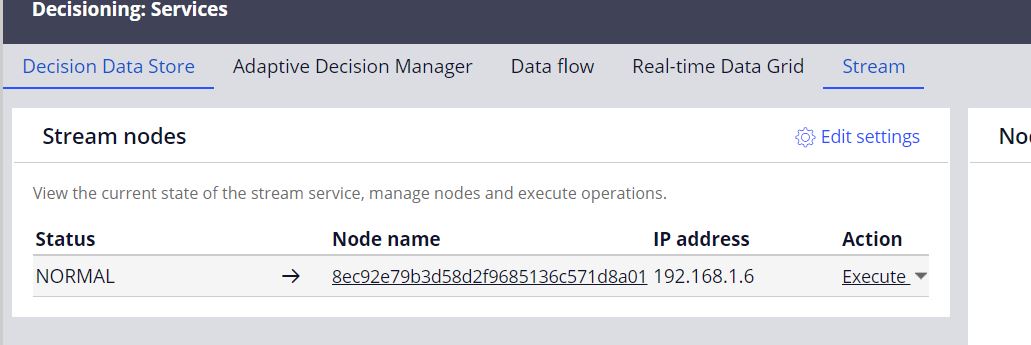
Also, I have checked the stream node and it is working fine, checked the PegaRules log and seeing no issues related to queue processor.
So, related to it, can you please suggest what I can check to resolve this issue?
@HemantK1 : FYI, as an update, I have found that pzDelayedQueueProcessorSchedule Job scheduler is not working which makes the delayed queue processor items to ready to process. But I still need to know why this Job scheduler is not working. This Pega OOTB job scheduler.
@HemantK1 we are facing literally the same issue. However, when i check the “Enable Job Scheduler” option after opening the rule instance of job scheduler one of the production node, it seems enabled.
How did you identify pzDelayedQueueProcessorSchedule job scheduler rule not working on production? It was not enabled or something else? Is there any configuration on admin studio?
@HemantK1 we faced same issue delayed QP was stuck for only one environment but others environment are OK.
and pzDelayedQueueProcessorSchedule were disabled everywhere.
i opened a INC and resolved it with that support answer:
Issue
QP messages are not moving from the Scheduled Status.
Analysis
In 8.6 by default, DelayedItemsDataFlowService DF is responsible to move the messages from Scheduled status.
In defect environment, queueprocessor/delayeditems/dataflowbased/enabled DSS was not configured which means DelayedItemsDataFlowService should be responsible to move the records.
When we try to open the Pega-DM-DDF-Work. DelayedItemsDataFlowService DF, getting following error message java.lang.IllegalStateException: Loaded a work object [DelayedItemsDataFlowService] while no run config was present.
Data-Decision-DDF-RunOptions.DelayedItemsDataFlowService Instance was not present in the environment.
When we verify in working environments, Data-Decision-DDF-RunOptions.DelayedItemsDataFlowService instance was present
Next Steps:
Client to implement following things
Package(RAP) the Data-Decision-DDF-RunOptions DelayedItemsDataFlowService Instance in working environment and install the package in defect environment.
Open the Pega-DM-DDF-Work. DelayedItemsDataFlowService DF and check the status of DF run. If it is in-progress then DF would process the messages. If not, try to start the DF run.
Monitor whether messages are moving from scheduled status or not