Can’t complete the challenge because the ‘Total time’ field in the third task ‘Add a read-only field to the Review repair view’ doesn’t appear in the fields list.
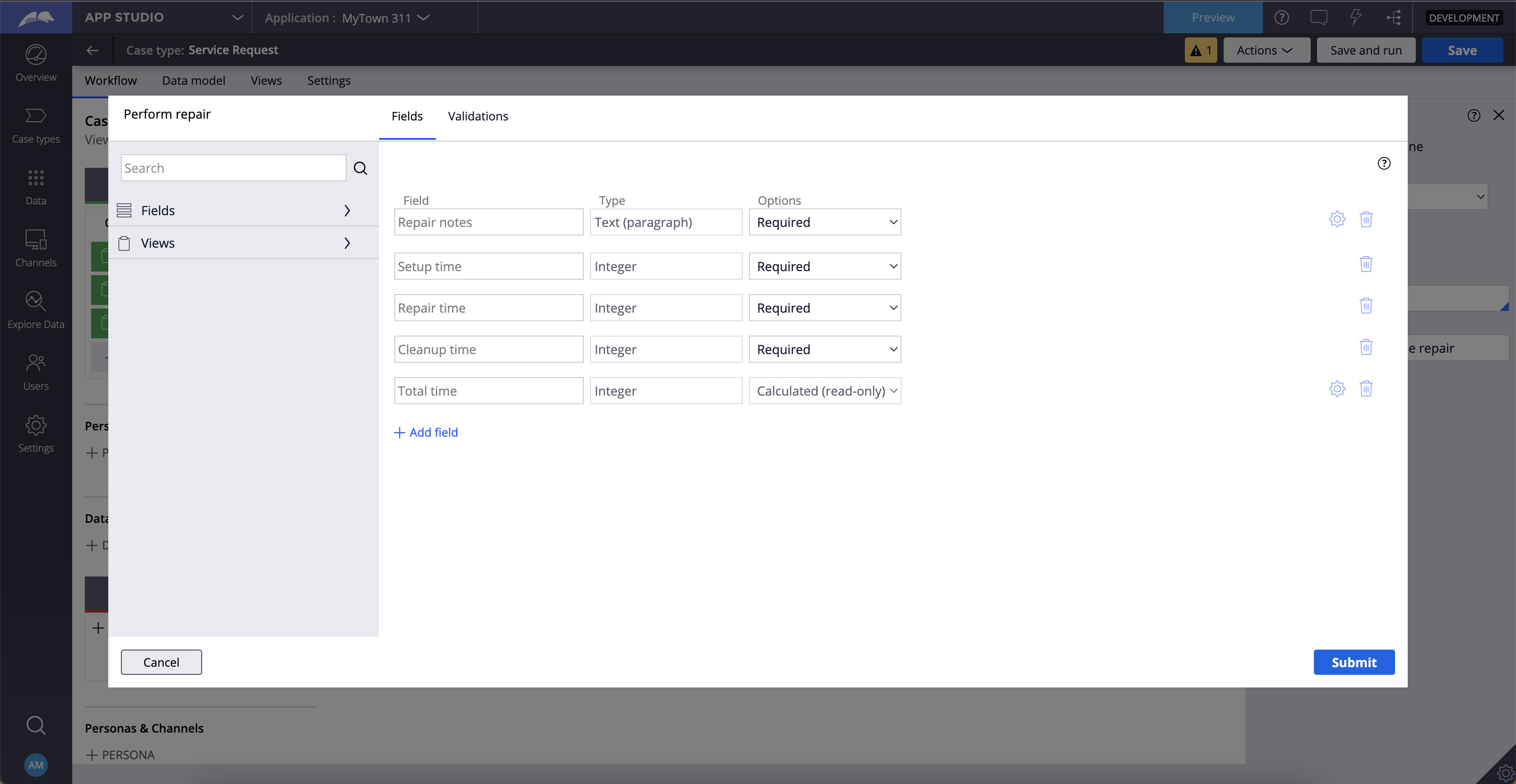

Could you please mark the TotalTime field (Property) as the relevant record so that it would get displayed in the App Studio or in the dev studio configure-view screen in the case type wizard?
How can I do it?
Go to that TotalTime property in the dev studio and in the right side there is an option called actions. Go to the actions and click on mark as the relevant record.
If the total time property is not there then create that property in the dev studio and mark it as the relevant record.

You opened the declare expression rule. You need to open the Total Time property rule form there you can see the relevant record option.
If you have any confusion, try to search the TotalTime in the search which is there on the top right and find it. Then open the property rule.
Thank you. I reset the instance and do it again and now it works without needing to handle it in the dev studio, maybe I missed something in the previous one.
Hi @RefafA53,
We did have an issue earlier today with the Pega Academy system that may have affected what you were working on. That has been resolved and I’m glad to hear you resolved this as well. I marked your reply above as the solution.