Vamshi1010
October 5, 2021, 8:46am
1
Hi.
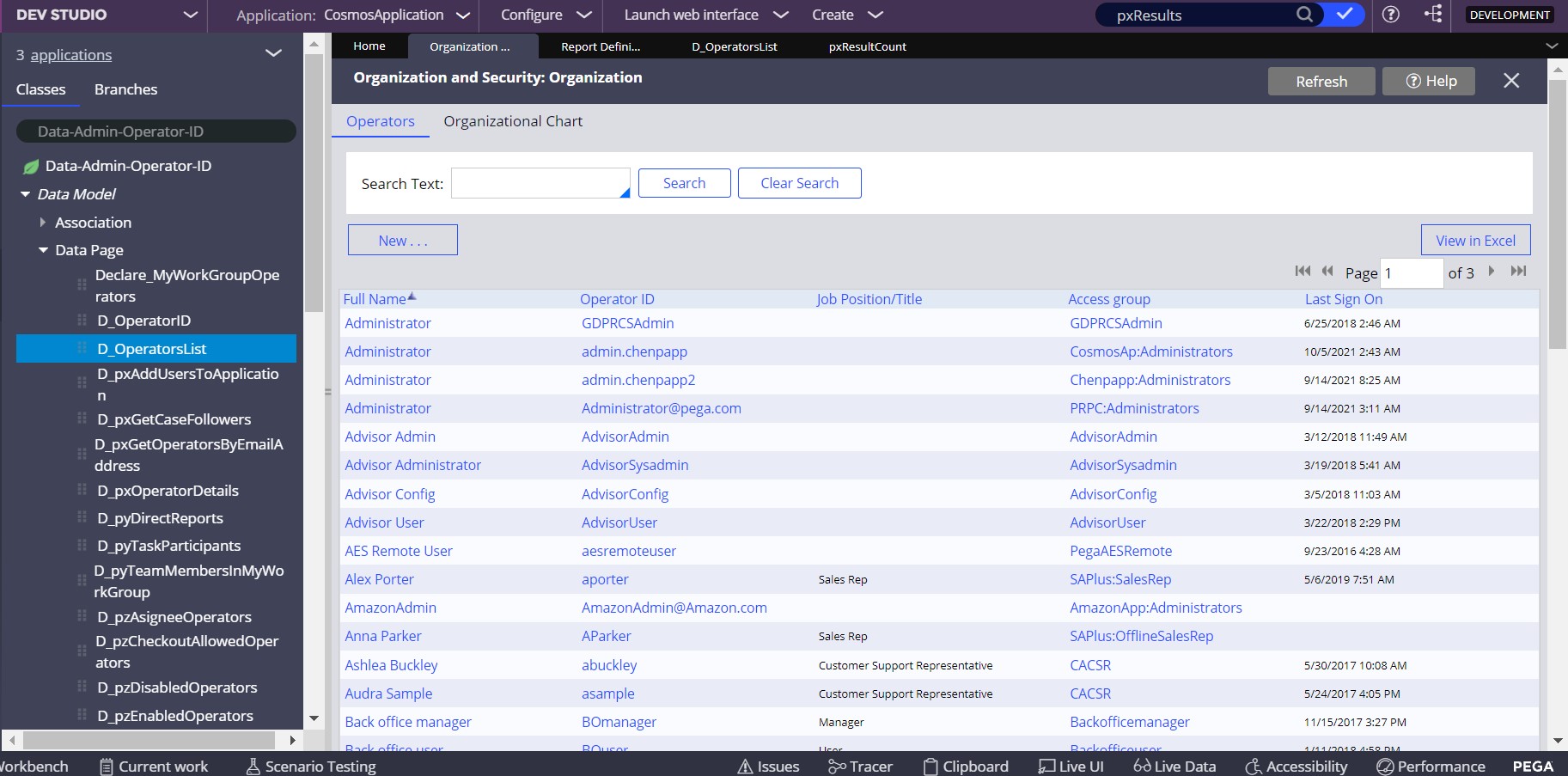
When I exporting Operator ID’s by clicking view in Excel, only the displayed Operator ID’s are being exported to Excel file.
If I am in Page 1 of 5, ID’s in 1st page are being exported and when I am in 3rd page, ID’s only in 3rd page are being exported.
Is there any way I can export all ID’s at once.
KiruthikaA
October 5, 2021, 10:51am
2
Hi @Vamshi1010 ,
To download all operator IDs into Excel you can make use of a Report Definition.
“pxRetrieveAllOperators” already available in pega, make it as private edit.
In Report viewers tab check “Enable Actions”
In Data Access tab Set the Max value in “Maximum number of rows to retrieve”
Run the report in the action menu you will find the export to excel.
Refer the attachments for Configs.
Thanks.
Vamshi1010
October 5, 2021, 10:57am
3
Hey @KiruthikaA
It was really helpful. Thank you very much.
As you mentioned, I am able to all ID’s at once.
Vamshi1010
October 6, 2021, 11:25am
4
Hey @KiruthikaA
The solution which you gave was accepted but the requestor is informing that they don’t want an alternate solution. They want to export all operator ID’s from the operator’s landing page of Organization and Security.
I have checked by using tracer but it was of no use.
Could you suggest any way for exporting through landing page.