To enable bulk processing of list items, select the Allow bulk actions checkbox.whis is not clear to me please help me to get the selected record from the list view.
@RangaraoA9389 please can you clarify your question with a document with screenshots?
Did you already go through the Bulk Processing documentation?
Viewing your checkouts and accessing bulk actions
There are also past forum quesions you could look at:
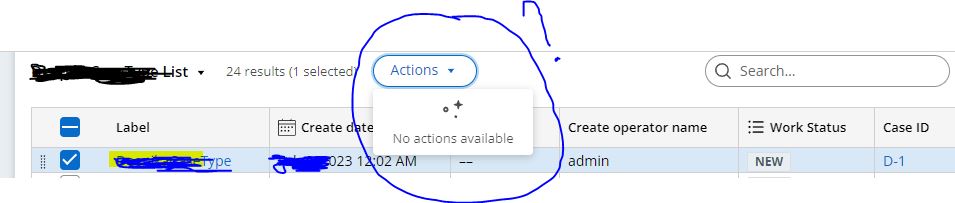
Thanks for your response ,basically I want to update or delete the selected row . after selected the some of rows , there is Actions dropdown appears that has no actions in it , plz see the attached image for your reference , I think I need to attach a flow action to get the action in actions button but am unable to do it. kindly help with it .
Team , Gentile Remainder .
@RangaraoA9389 In the flow actions, in the Action tab scroll to the bottom. You will have an option for enabling/disabling that local action for bulk actions. Based on that flow actions are being displayed in the bulk actions list.
@RangaraoA9389 Please clear this in the Action Tab of flow action to see that in Action Menu.
